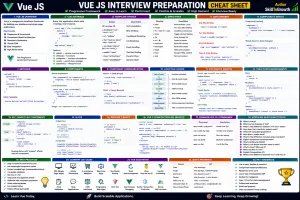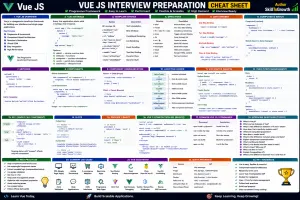
Props and Events in Vue.js: Understanding Props, Custom Events, Two-Way Binding & Component Communication
Props and Events in Vue.js: Understanding Props, Custom Events, Two-Way Binding & Component Communication
SkilltoGrowth Expert
Published on July 31, 2026One of the biggest advantages of Vue.js is its component-based architecture. Components allow developers to divide large applications into smaller, reusable pieces, making code easier to manage and maintain. However, components rarely work independently. A shopping cart needs product information from a product list, a user profile component requires customer details, and a dashboard widget may need real-time statistics from another part of the application.
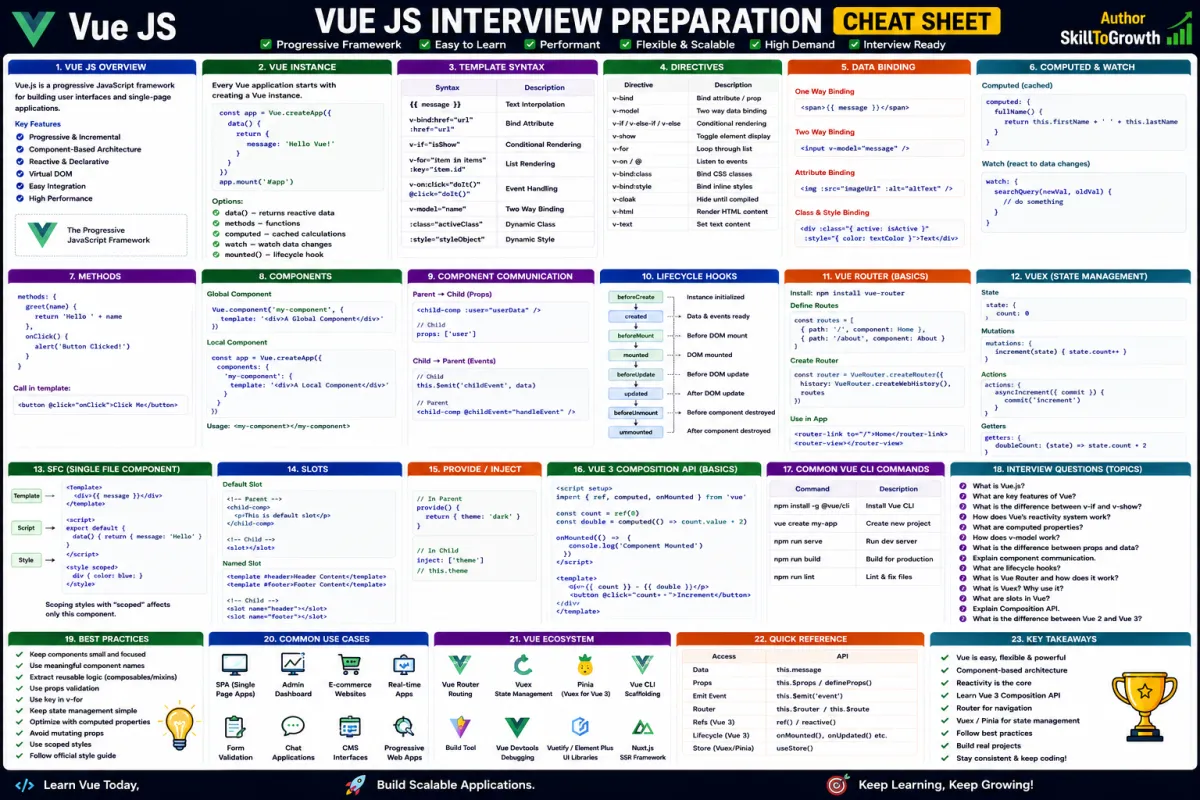
For components to work together effectively, they must be able to exchange information. Vue provides a clean and predictable communication model through Props and Events. Props allow parent components to send data to child components, while events enable child components to notify their parents when something happens, such as a button click, form submission, or user interaction.
This one-way flow of data keeps applications organized and prevents components from becoming tightly coupled. Instead of directly modifying each other's data, components communicate through well-defined interfaces. This makes Vue applications easier to understand, test, and maintain.
Imagine an e-commerce website. The parent component retrieves a list of products from an API and passes each product's information to reusable product card components using props. When a customer clicks the "Add to Cart" button, the product card doesn't update the shopping cart directly. Instead, it emits an event, informing the parent component that a product has been selected. The parent then updates the cart accordingly.
This communication pattern is used throughout modern Vue applications and forms the foundation for building scalable, reusable user interfaces.
In this chapter, you'll learn how Props work, how data is passed between components, how prop validation improves reliability, how default values simplify development, how events are emitted, how event modifiers work, how to create custom events, how two-way binding operates between components, and the best practices for building maintainable Vue applications.
Why Props and Events Are Important
Component communication is essential in every real-world Vue application.
Without a structured communication mechanism, components would become tightly coupled, making applications difficult to maintain and extend.
Using Props and Events provides several important advantages:
- Clear data flow
- Better component reusability
- Improved maintainability
- Easier debugging
- Cleaner architecture
- Predictable application behavior
- Better collaboration between developers
- Simplified testing
By following Vue's communication model, developers can build applications that remain organized even as they grow in size.
Introduction to Props
Props, short for Properties, are the primary mechanism for passing data from a parent component to a child component.
A parent component owns the data and shares only the information that a child component needs to perform its specific task.
For example, a product card component may receive:
- Product name
- Product price
- Product image
- Product description
- Product rating
- Availability status
The child component simply displays the information it receives without being responsible for retrieving or managing the data itself.
This separation of responsibilities keeps components reusable because the same component can display different products without modification.
Props create a one-way data flow, meaning information moves from parent to child, ensuring the application's state remains predictable.
Passing Data
Passing data through props is one of the most common tasks in Vue development.
Whenever a parent component renders a child component, it can provide values that customize how the child behaves or what information it displays.
Consider a customer management system. A parent component retrieves customer records from a server. Instead of displaying every customer itself, it passes individual customer information to reusable customer card components.
The same component can then display hundreds of different customers simply by receiving different data through props.
This approach significantly reduces duplicated code and encourages reusable UI design.
As applications grow, passing data through props becomes a fundamental part of component communication.
Prop Validation
Receiving data from parent components introduces the possibility of incorrect or unexpected values.
For example, a component expecting a number might accidentally receive text, or a required property might not be provided at all.
Vue addresses this problem through Prop Validation.
Prop validation allows developers to define expectations for incoming data, such as:
- Expected data type
- Whether the property is required
- Acceptable values
- Validation rules
If invalid data is passed, Vue warns developers during development, helping identify potential issues before the application reaches production.
Prop validation improves code reliability and makes components easier to understand because their expected inputs are clearly defined.
Default Props
Sometimes parent components may not provide every property that a child component expects.
Instead of leaving components in an inconsistent state, Vue allows developers to define Default Props.
Default values ensure that components continue functioning even when optional information is unavailable.
For example, if a user's profile image has not been uploaded, the component may automatically display a default avatar.
Similarly, a product card may show "Out of Stock" when availability information is missing.
Providing sensible defaults improves the user experience while reducing the need for repetitive validation logic inside components.
It also makes reusable components more flexible across different parts of an application.
Emitting Events
While props allow information to move from parent to child, applications also require communication in the opposite direction.
This is achieved through Events.
When something important happens inside a child component, such as a button click or form submission, the child emits an event to notify the parent.
The parent component then decides how to respond.
For example:
- A login form notifies the parent when authentication succeeds.
- A shopping cart item reports quantity changes.
- A profile editor signals that user information has been updated.
- A product card informs the parent that a product has been selected.
The child component does not modify parent data directly.
Instead, it simply communicates that an action occurred, leaving the parent responsible for updating the application's state.
This approach keeps communication predictable and maintains a clear separation of responsibilities.
Event Modifiers
Applications often respond to user interactions such as mouse clicks, keyboard input, scrolling, and form submissions.
Vue provides Event Modifiers to simplify event handling and reduce repetitive event-related code.
Instead of manually controlling default browser behavior or event propagation through JavaScript, developers can specify the desired behavior directly within templates.
Event modifiers improve code readability while making templates easier to understand.
They are commonly used for:
- Preventing default browser actions
- Stopping event propagation
- Handling keyboard shortcuts
- Processing events only once
- Improving form handling
- Managing mouse interactions
Using event modifiers keeps event-handling logic concise and consistent.
Custom Events
As applications become larger, components frequently need to communicate specific business actions rather than simple user interactions.
Vue supports this through Custom Events.
Unlike standard browser events, custom events represent application-specific actions.
Examples include:
- Product added to cart
- Payment completed
- Profile updated
- Order confirmed
- Notification dismissed
- Theme changed
- Language selected
- File uploaded
Custom events make component communication more meaningful because they describe business actions rather than implementation details.
They also improve readability by making component interactions easier to understand.
Two-Way Binding
Most component communication follows Vue's one-way data flow, where parents send data through props and children communicate back through events.
However, some situations require parent and child components to remain synchronized.
Examples include:
- Form fields
- Search inputs
- Quantity selectors
- User preferences
- Toggle switches
- Theme settings
Vue supports these scenarios through Two-Way Binding, combining props and events into a seamless communication mechanism.
Whenever the parent updates the value, the child reflects the change automatically.
Likewise, when the child modifies the value through user interaction, it notifies the parent so the application's state remains synchronized.
Although powerful, two-way binding should be used thoughtfully to avoid unnecessary complexity.
Understanding when to use one-way versus two-way communication is an important architectural decision in Vue applications.
Designing Better Component Communication
Effective communication between components depends on keeping responsibilities clearly separated.
Parent components should manage application state and business logic.
Child components should focus primarily on presentation and user interaction.
Whenever a child needs to communicate something important, it should emit an event instead of directly modifying parent data.
This predictable communication model makes applications easier to understand and significantly reduces debugging effort.
As projects become larger, following these communication patterns becomes increasingly valuable.
Props Best Practices
Following established best practices helps developers build reusable and maintainable Vue components.
Some recommended practices include:
- Keep props focused on component configuration rather than business logic.
- Validate incoming props whenever possible.
- Provide sensible default values for optional properties.
- Treat props as read-only within child components.
- Use meaningful prop names that clearly describe their purpose.
- Emit events instead of modifying parent data directly.
- Keep parent components responsible for managing application state.
- Use custom events with descriptive names.
- Avoid passing unnecessary data to child components.
- Design components to remain reusable across different parts of the application.
These practices improve scalability while keeping applications predictable.
Common Mistakes
Developers new to Vue often make similar mistakes when implementing component communication.
Some common mistakes include:
- Modifying props directly inside child components.
- Passing excessive amounts of data through props.
- Ignoring prop validation.
- Forgetting to define default values for optional properties.
- Using generic event names that lack meaning.
- Allowing child components to manage parent state.
- Creating tightly coupled components.
- Overusing two-way binding where one-way communication is sufficient.
- Mixing business logic with presentation logic.
- Designing components that are difficult to reuse.
Recognizing these issues early helps developers create cleaner and more maintainable Vue applications.
Interview Questions
- What are Props in Vue.js?
- Why are props considered a one-way data flow mechanism?
- How does passing data through props improve component reusability?
- What is prop validation, and why is it important?
- When should default props be used?
- What are custom events in Vue.js?
- How does a child component communicate with its parent?
- What are event modifiers, and why are they useful?
- Explain two-way binding in Vue components.
- What are the best practices for component communication using Props and Events?