
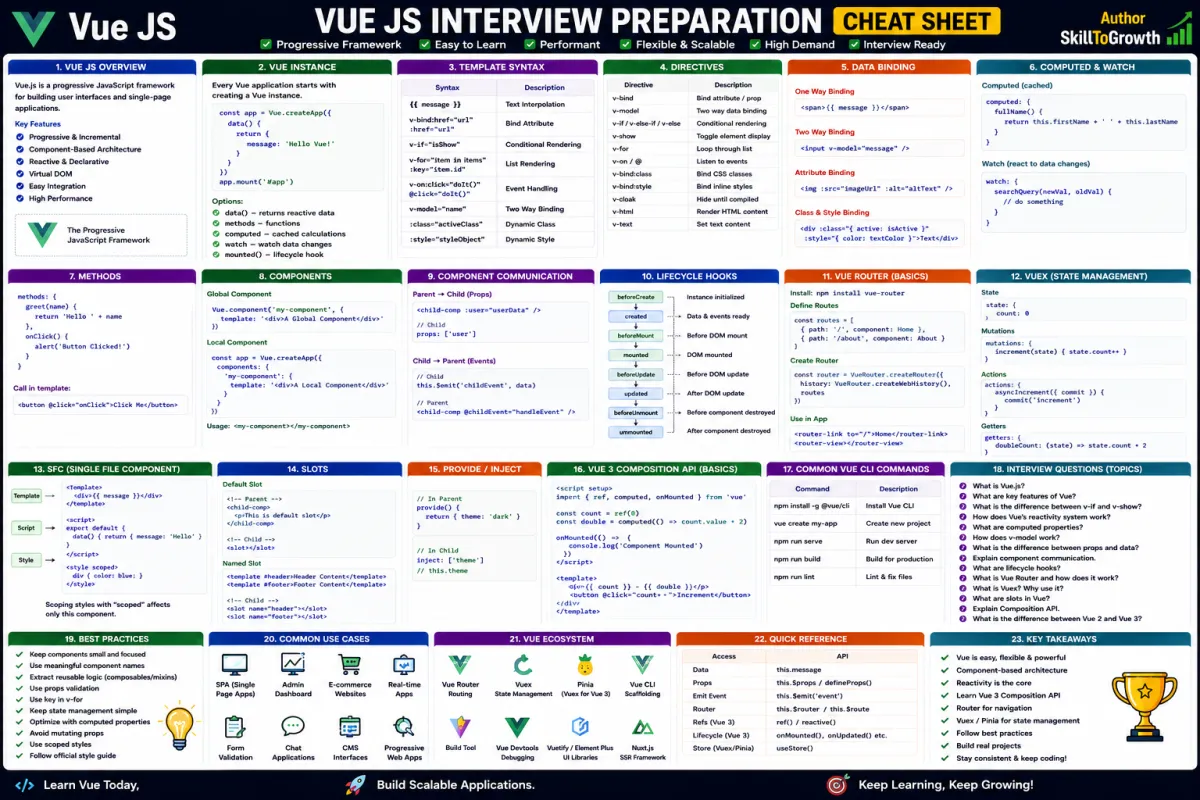
Vue Reactivity: Understanding the Reactivity System, ref(), reactive(), Computed Properties, Watch & watchEffect
Vue Reactivity: Understanding the Reactivity System, ref(), reactive(), Computed Properties, Watch & watchEffect
SkilltoGrowth Expert
Published on July 31, 2026One of the biggest reasons developers enjoy working with Vue.js is its powerful Reactivity System. Unlike traditional JavaScript applications where developers manually update the Document Object Model (DOM) whenever data changes, Vue automatically detects changes in application data and updates the user interface accordingly. This automatic synchronization significantly reduces development effort while creating faster and more responsive applications.
Imagine building an online shopping website where customers add products to their cart, update quantities, apply discount coupons, or change shipping options. Every action immediately updates prices, totals, and product availability without refreshing the page. Developers don't need to manually locate HTML elements and update them one by one. Instead, Vue's reactivity system observes the underlying data and ensures the user interface always reflects the latest application state.
This reactive behavior is one of the core features that makes Vue different from traditional JavaScript development. It allows developers to focus on business logic rather than worrying about DOM updates, resulting in cleaner, more maintainable code.
Modern Vue applications heavily depend on reactivity. Features such as dashboards, chat applications, notification systems, analytics platforms, real-time stock market applications, and collaborative tools all rely on reactive data to deliver smooth user experiences.
In this chapter, you'll learn how Vue's reactivity system works, understand ref() and reactive(), explore Computed Properties, learn the purpose of Watch and watchEffect, understand the lifecycle of reactive data, and discover the best practices for writing efficient and maintainable Vue applications.
Why Vue Reactivity Is Important
Reactive programming is the foundation of every Vue application.
Instead of manually synchronizing data and the user interface, Vue automatically tracks changes and updates only the parts of the page that require modification.
Understanding Vue's reactivity system helps developers:
- Build highly interactive applications
- Reduce manual DOM manipulation
- Improve application performance
- Write cleaner business logic
- Simplify state management
- Build responsive user interfaces
- Reduce repetitive code
- Improve maintainability
Whether you're building a simple form or a complex enterprise dashboard, reactivity makes application development significantly easier.
Understanding the Reactivity System
At the heart of Vue lies its Reactivity System.
The primary responsibility of this system is to observe application data and automatically update the user interface whenever that data changes.
In traditional JavaScript, developers often needed to manually locate HTML elements and update them after every data modification. This process became increasingly difficult as applications grew larger.
Vue removes this complexity by creating a connection between application data and the user interface.
Whenever data changes, Vue identifies exactly which parts of the interface depend on that data and updates only those sections instead of re-rendering the entire page.
This selective updating improves performance while reducing unnecessary processing.
The reactivity system works continuously in the background, allowing developers to focus on application logic instead of DOM manipulation.
Understanding ref()
One of the most commonly used reactive APIs in Vue is ref().
The ref() function creates a reactive reference for a single value.
Whenever that value changes, Vue automatically updates every part of the application that depends on it.
Developers typically use ref() for managing individual values such as:
- Counter values
- User names
- Search keywords
- Login status
- Selected categories
- Theme preferences
- Loading indicators
- Notification counts
Because ref() works with individual values, it is ideal for managing simple application state.
It also integrates seamlessly with Vue's Composition API, making it one of the most frequently used features in modern Vue development.
Understanding reactive()
While ref() is designed for individual values, reactive() is intended for managing more complex data structures.
Applications frequently work with objects containing multiple related properties.
Examples include:
- Customer information
- Product details
- Employee records
- Shopping carts
- User settings
- Dashboard statistics
Instead of creating separate reactive references for every property, reactive() allows developers to make an entire object reactive.
Whenever any property within that object changes, Vue automatically updates the relevant parts of the interface.
This makes reactive() especially useful when working with structured business data.
Choosing between ref() and reactive() depends on the type of data being managed.
Understanding their differences helps developers design cleaner and more maintainable applications.
Computed Properties
Applications often display information that is calculated from existing data.
For example:
- Total shopping cart price
- Discounted product cost
- Full customer name
- Employee annual salary
- Filtered search results
- Tax calculations
- Order summaries
Instead of recalculating these values repeatedly throughout the application, Vue provides Computed Properties.
A computed property automatically derives its value from other reactive data.
The biggest advantage of computed properties is caching.
Vue recalculates the value only when one of its dependencies changes.
If the underlying data remains unchanged, Vue simply returns the previously calculated value.
This improves application performance while keeping templates clean and readable.
Computed properties should be preferred whenever displayed values depend on other reactive information.
Watch
Although Vue automatically updates the user interface when reactive data changes, applications sometimes need to perform additional actions.
For example:
- Calling an API
- Saving user preferences
- Updating local storage
- Triggering analytics
- Displaying notifications
- Performing validation
- Logging user activity
These situations require observing changes rather than simply displaying updated values.
Vue provides Watch for this purpose.
Watch allows developers to monitor specific reactive values and execute custom logic whenever those values change.
Unlike computed properties, which return derived values, watch focuses on performing side effects.
This makes it particularly useful for responding to important application events.
watchEffect
Vue also provides watchEffect, a more automatic approach to reactive observation.
Instead of explicitly specifying which values should be monitored, watchEffect automatically tracks every reactive value used within its execution.
Whenever any of those values change, Vue reruns the associated logic.
This reduces boilerplate code and simplifies reactive programming.
watchEffect is particularly useful when multiple reactive values contribute to the same operation.
It is commonly used for:
- Automatic API requests
- Dynamic filtering
- Logging
- Debugging
- Synchronizing application state
- Automatic calculations
Because dependency tracking happens automatically, developers can write cleaner and more concise code.
Lifecycle of Reactive Data
Reactive data moves through several stages during the lifetime of a Vue application.
Initially, reactive values are created.
Vue then begins monitoring these values for changes.
Whenever application logic modifies reactive data, Vue records the change and determines which components depend on that information.
Only those affected components are updated.
Once components are removed from the application, Vue also cleans up associated reactive connections to prevent unnecessary memory usage.
This lifecycle happens automatically without requiring developers to manually manage updates.
Understanding this process helps explain why Vue applications remain responsive even as they become more complex.
Choosing the Right Reactive API
Vue provides multiple reactive APIs because different situations require different approaches.
Generally:
- Use ref() for individual primitive values.
- Use reactive() for complex objects.
- Use Computed Properties for calculated values.
- Use Watch when additional actions should occur after data changes.
- Use watchEffect when dependencies should be tracked automatically.
Choosing the correct API improves both readability and application performance.
Understanding these distinctions is an important part of becoming proficient with Vue.
Vue Reactivity in Real Applications
Almost every modern Vue application depends on reactive programming.
Common examples include:
- Shopping carts updating totals instantly.
- Dashboard widgets refreshing statistics.
- Search results updating as users type.
- Live chat applications displaying new messages.
- Notification counters increasing automatically.
- Theme changes updating the entire interface.
- Analytics dashboards displaying live metrics.
- Profile forms reflecting user edits immediately.
These interactive experiences are possible because Vue continuously synchronizes application data with the user interface.
Without reactivity, developers would need to manually update every affected HTML element after each change.
Best Practices
Following established best practices helps developers build efficient and maintainable Vue applications.
Some recommended practices include:
- Use ref() for simple reactive values.
- Use reactive() for related object data.
- Prefer computed properties over repeated calculations.
- Reserve watch for side effects rather than calculations.
- Use watchEffect when automatic dependency tracking improves readability.
- Keep reactive state organized and predictable.
- Avoid unnecessary reactive variables.
- Separate business logic from presentation.
- Minimize deeply nested reactive objects.
- Keep reactive logic simple and easy to understand.
Following these practices improves application performance and long-term maintainability.
Common Mistakes
Developers learning Vue reactivity often encounter similar challenges.
Some common mistakes include:
- Using watch instead of computed properties.
- Creating unnecessary reactive variables.
- Misunderstanding the difference between ref() and reactive().
- Performing business logic directly inside templates.
- Overusing watchEffect without understanding dependency tracking.
- Creating deeply nested reactive structures.
- Ignoring performance implications of unnecessary watchers.
- Mixing unrelated state into a single reactive object.
- Writing complex reactive logic that becomes difficult to debug.
- Forgetting that computed properties are automatically cached.
Recognizing these issues early helps developers write cleaner and more efficient Vue applications.
Interview Questions
What is Vue's reactivity system?
- Why is reactive programming important in Vue.js?
- What is the difference between ref() and reactive()?
- When should you use Computed Properties?
- What is the purpose of Watch?
- How does watchEffect differ from Watch?
- What are the benefits of computed property caching?
- Explain the lifecycle of reactive data in Vue.
- How does Vue automatically update the user interface?
- What are the best practices for managing reactive state in Vue applications?