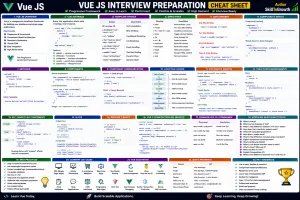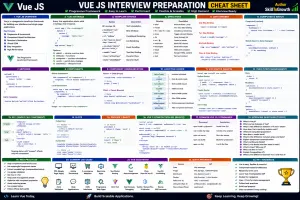
Vue Basics: Understanding Vue Instance, Templates, Data Binding, Template Syntax, Dynamic Classes & Styles
Vue Basics: Understanding Vue Instance, Templates, Data Binding, Template Syntax, Dynamic Classes & Styles
SkilltoGrowth Expert
Published on July 31, 2026Vue.js is known for its simplicity, flexibility, and developer-friendly syntax. Unlike many frontend frameworks that require extensive configuration before displaying content on the screen, Vue allows developers to build interactive user interfaces using a clean and intuitive approach. This simplicity is one of the main reasons why Vue has become one of the most popular JavaScript frameworks for modern web development.
Before building large applications with components, routing, state management, and API integration, it's important to understand the core building blocks of Vue. These fundamentals determine how Vue renders data, updates the user interface, and keeps the application synchronized with the underlying data model.
One of Vue's greatest strengths is its reactive system. Whenever application data changes, Vue automatically updates the corresponding part of the user interface without requiring developers to manually manipulate the Document Object Model (DOM). This significantly reduces development effort while improving application performance and maintainability.
Imagine you're building an online shopping website. When a customer adds an item to the cart, changes the quantity, updates their profile, or filters products, the interface updates instantly without refreshing the page. Behind the scenes, Vue's reactive data binding system ensures that every change is immediately reflected on the screen.
In this chapter, you'll learn the fundamental concepts of Vue.js, including the Vue Instance, Templates, Template Syntax, Data Binding, Text Interpolation, HTML Binding, Attribute Binding, Dynamic Classes, and Dynamic Styles. These concepts form the foundation of every Vue application and are essential before moving on to components, directives, and advanced application development.
Why Vue Basics Are Important
Learning Vue becomes much easier when you first understand how the framework manages data and updates the user interface.
Every Vue application—whether it's a small portfolio website or a large enterprise dashboard—relies on the same core concepts.
Understanding these fundamentals helps developers:
- Build interactive user interfaces
- Reduce manual DOM manipulation
- Improve application maintainability
- Write cleaner code
- Develop reusable components
- Understand Vue's reactive system
- Prepare for advanced Vue concepts
Once these concepts become familiar, learning the rest of the Vue ecosystem becomes significantly easier.
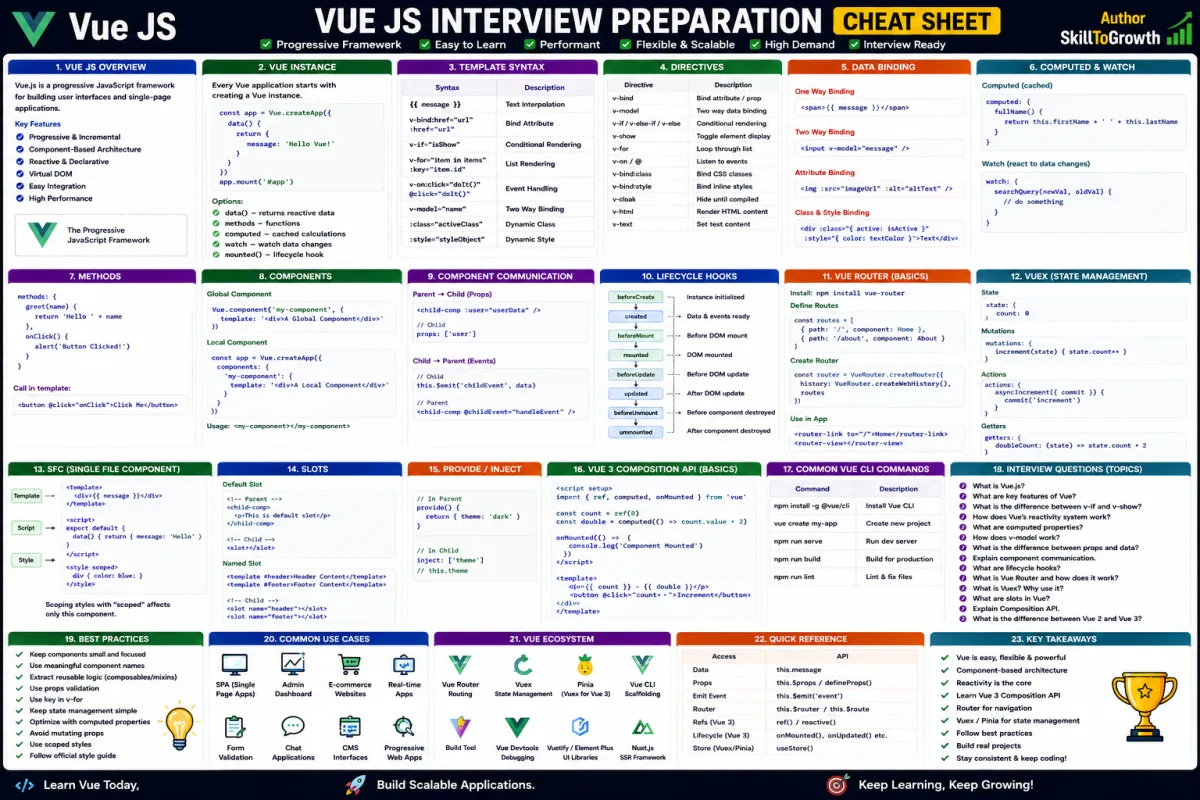
Vue Instance
Every Vue application starts with a Vue Instance.
The Vue Instance acts as the central controller that connects application data with the user interface. It manages the application's state, reacts to user interactions, and ensures that the interface always reflects the latest data.
In Vue 3, applications are created using a more modern architecture compared to earlier versions, but the underlying concept remains the same. Every Vue application requires an entry point that initializes the application and connects it to the browser.
The Vue Instance is responsible for:
- Managing application data
- Rendering the interface
- Tracking data changes
- Updating the DOM
- Connecting components
- Managing application lifecycle
Although developers don't interact with the Vue Instance frequently after initial setup, understanding its role helps explain how Vue applications function internally.
Vue Templates
A Template defines what users see on the screen.
Rather than manually creating HTML elements using JavaScript, Vue allows developers to write templates using familiar HTML syntax while embedding dynamic data wherever needed.
Templates describe the structure of the user interface while Vue automatically handles rendering and updates.
For example, an employee management system might display employee names, departments, salaries, profile pictures, and contact information inside a template. Whenever the underlying data changes, Vue automatically updates only the affected portions of the interface.
Templates make applications easier to read because developers focus on describing the desired interface instead of manipulating HTML elements directly.
Template Syntax
Vue extends traditional HTML with its own template syntax.
This syntax allows developers to combine static HTML with dynamic JavaScript data in a clean and readable manner.
Template syntax enables Vue to understand which parts of the interface should remain fixed and which parts should update whenever application data changes.
Instead of manually locating HTML elements and updating them through JavaScript, developers simply describe the relationship between data and the user interface.
This declarative programming approach improves readability while reducing complexity.
Because Vue automatically tracks dependencies, the framework knows exactly when and where updates are required.
Data Binding
One of Vue's most powerful features is Data Binding.
Data binding establishes a connection between application data and the user interface.
Whenever data changes, Vue automatically updates the corresponding elements on the screen.
Similarly, user interactions can update application data without requiring additional programming.
This automatic synchronization eliminates much of the repetitive code traditionally required for DOM manipulation.
Data binding is widely used for:
- User profiles
- Shopping carts
- Dashboard statistics
- Form inputs
- Product information
- Notifications
- Search results
Instead of manually refreshing the interface, developers simply update the data, and Vue handles the rest.
This reactive behaviour is one of the main reasons developers enjoy working with Vue.
Text Interpolation
Text Interpolation is the simplest way to display dynamic information inside a Vue template.
Rather than displaying fixed text, Vue allows values stored in application data to appear directly within HTML content.
As the underlying data changes, the displayed text updates automatically without requiring manual intervention.
Text interpolation is commonly used for:
- User names
- Product titles
- Prices
- Dates
- Welcome messages
- Notification counts
- Dashboard statistics
Because Vue continuously monitors data changes, displayed values always remain synchronized with the application's current state.
This creates highly interactive user experiences with minimal effort.
HTML Binding
Sometimes applications need to display formatted HTML instead of plain text.
Examples include:
- Rich text editors
- Blog articles
- Product descriptions
- CMS content
- Email templates
HTML Binding allows Vue to render HTML content dynamically instead of displaying it as ordinary text.
However, developers should use this feature carefully.
Rendering untrusted HTML can expose applications to security vulnerabilities such as Cross-Site Scripting (XSS).
For this reason, HTML Binding should only be used with trusted or properly sanitized content.
When handled correctly, it provides flexibility while maintaining application security.
Attribute Binding
HTML elements contain numerous attributes, including:
- Image sources
- Hyperlinks
- Input values
- Placeholders
- Disabled states
- IDs
- Titles
In modern applications, these attributes often change dynamically depending on application data.
Vue simplifies this process through Attribute Binding, allowing attributes to update automatically whenever related data changes.
For example, an e-commerce application might display different product images depending on the selected product, or disable a checkout button when the shopping cart is empty.
Rather than manually modifying HTML attributes using JavaScript, developers simply bind them to application data.
This keeps templates clean while ensuring the interface always reflects current application state.
Dynamic Classes
Styling plays a crucial role in modern web applications.
Applications frequently change their appearance based on user actions or business rules.
Examples include:
- Highlighting selected menu items
- Displaying active navigation links
- Showing validation errors
- Indicating online or offline status
- Marking completed tasks
- Displaying notifications
Vue allows CSS classes to be applied dynamically according to application data.
Instead of manually adding or removing CSS classes through JavaScript, Vue automatically updates classes whenever related conditions change.
Dynamic classes improve readability while reducing repetitive DOM manipulation code.
They also encourage developers to separate styling from business logic.
Dynamic Styles
In addition to CSS classes, applications sometimes need to update individual style properties dynamically.
Examples include:
- Progress bar width
- Font size
- Background colour
- Text colour
- Visibility
- Positioning
- Animations
Vue allows developers to bind style properties directly to application data.
Whenever the underlying values change, Vue automatically updates the affected styles without requiring manual DOM manipulation.
Dynamic styling is particularly useful for dashboards, analytics platforms, charts, themes, accessibility settings, and responsive user interfaces.
Combined with Vue's reactive system, dynamic styles help create modern applications that respond instantly to user interactions.
Best Practices
Building clean and maintainable Vue applications starts with following good development practices.
Some recommended practices include:
- Keep templates simple and readable.
- Separate business logic from presentation.
- Use meaningful variable names.
- Prefer computed properties over complex template expressions.
- Avoid unnecessary inline styling.
- Use CSS classes whenever possible.
- Organize data logically.
- Keep application state predictable.
- Follow consistent naming conventions.
- Build reusable UI structures from the beginning.
Following these practices results in applications that are easier to maintain as they grow.
Common Mistakes
Developers new to Vue often make similar mistakes while learning the framework.
Some common mistakes include:
- Writing too much logic directly inside templates.
- Mixing business logic with presentation.
- Overusing dynamic styles instead of CSS classes.
- Ignoring Vue's reactive data model.
- Creating overly complex template expressions.
- Using HTML Binding with untrusted content.
- Repeating similar template structures unnecessarily.
- Forgetting to organize application data properly.
Recognizing these issues early helps developers write cleaner, more maintainable Vue applications.
Interview Questions
- What is a Vue Instance?
- What is the purpose of a Vue template?
- Explain Vue's template syntax.
- What is data binding in Vue.js?
- How does text interpolation work?
- What is the difference between text interpolation and HTML binding?
- Why is HTML Binding considered a security risk if used incorrectly?
- What is attribute binding, and when is it useful?
- Explain the difference between dynamic classes and dynamic styles.
- What are the best practices for writing clean Vue templates?