Vue Directives: Understanding v-bind, v-model, v-if, v-show, v-for, v-on, v-slot & Custom Directives
Vue Directives: Understanding v-bind, v-model, v-if, v-show, v-for, v-on, v-slot & Custom Directives
SkilltoGrowth Expert
Published on July 31, 2026One of the reasons Vue.js is considered one of the most developer-friendly frontend frameworks is its powerful template system. Instead of manually manipulating the Document Object Model (DOM) using JavaScript, Vue allows developers to describe how the user interface should behave using Directives.
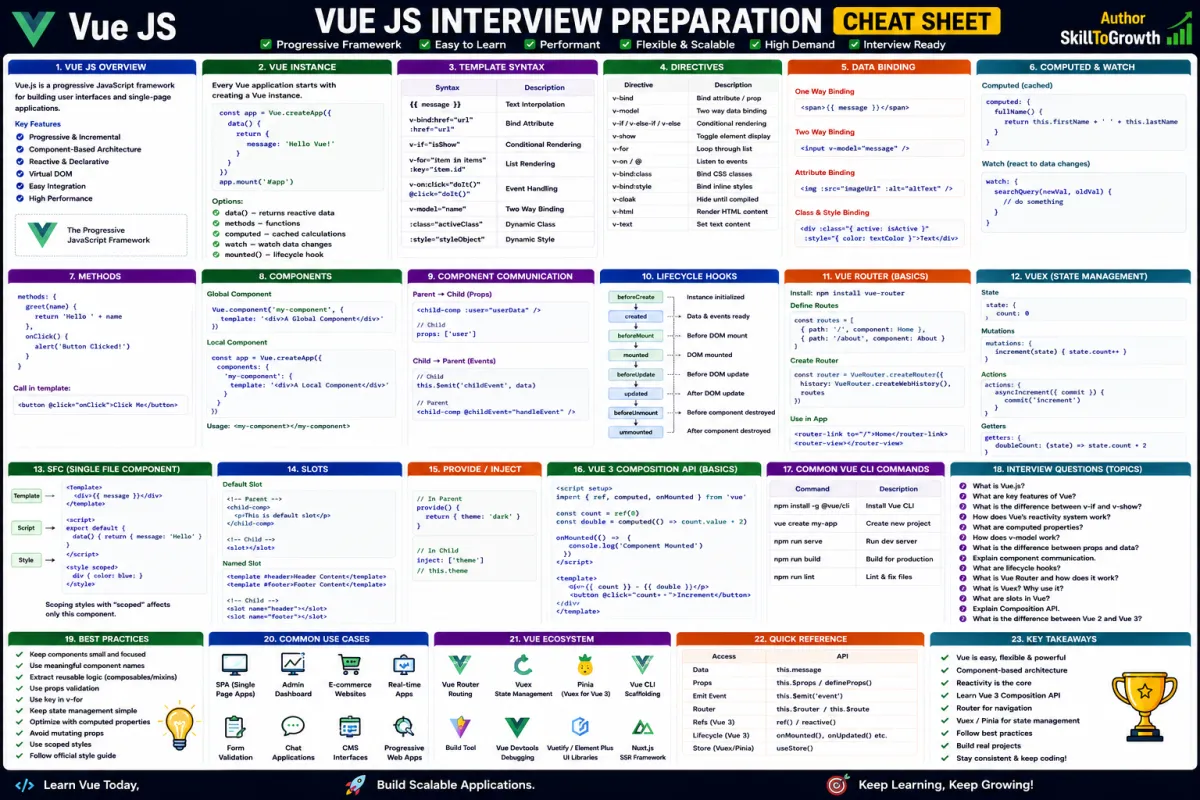
Directives are special attributes provided by Vue that add dynamic behavior to HTML elements. They tell Vue how to render data, respond to user actions, display or hide content, loop through collections, bind values, and interact with components. Rather than writing complex JavaScript code to update the interface, developers simply apply directives within templates, and Vue automatically keeps the UI synchronized with application data.
Imagine building an online shopping application. The product list should appear dynamically from the database, the shopping cart count should update automatically, unavailable products should be hidden, and clicking a button should immediately add items to the cart. Accomplishing these tasks with plain JavaScript requires significant DOM manipulation. With Vue directives, the same functionality becomes much cleaner, easier to understand, and more maintainable.
Directives are used in almost every Vue application, regardless of its size. Whether you're creating a personal portfolio, an enterprise dashboard, an e-commerce platform, or a SaaS product, you'll use directives to build dynamic and interactive interfaces.
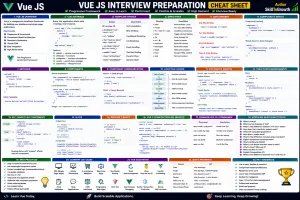
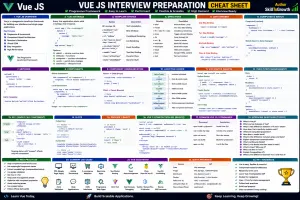
In this chapter, you'll learn the most commonly used Vue directives, including v-bind, v-model, v-if, v-else, v-show, v-for, v-on, v-slot, and Custom Directives. Mastering these concepts will help you create responsive and interactive Vue applications with confidence.
Why Vue Directives Are Important
Vue directives eliminate the need for repetitive JavaScript code that manually updates the user interface.
Instead of directly interacting with DOM elements, developers simply describe what should happen, while Vue automatically performs the required updates.
Using directives offers several advantages:
- Cleaner templates
- Less DOM manipulation
- Improved readability
- Faster development
- Better maintainability
- Automatic UI updates
- Improved code organization
- More interactive applications
Because directives are integrated into Vue's reactive system, they update the interface whenever application data changes.
Understanding Vue Directives
Vue directives are predefined instructions that begin with the letter v-.
These directives extend normal HTML by adding dynamic behavior to elements. Rather than creating custom JavaScript logic for every interaction, developers simply apply the appropriate directive within the template.
Some directives display information, others listen for events, while some modify attributes or repeat HTML elements based on data.
Each directive has a specific responsibility, allowing templates to remain simple and easy to understand.
Learning the purpose of each directive is one of the first steps toward becoming productive with Vue.js.
v-bind
The v-bind directive creates a dynamic connection between HTML attributes and application data.
Instead of assigning fixed attribute values, developers can bind attributes directly to reactive data. Whenever the underlying value changes, Vue automatically updates the corresponding attribute.
This directive is commonly used for:
- Image sources
- Hyperlinks
- CSS classes
- IDs
- Placeholder text
- Disabled states
- Form values
- Accessibility attributes
For example, an e-commerce website may display different product images depending on the selected product. Rather than manually updating the image source, v-bind ensures the displayed image changes automatically whenever the product data changes.
This makes templates more flexible and significantly reduces manual DOM manipulation.
v-model
The v-model directive provides two-way data binding between user input and application data.
Unlike one-way binding, where data only flows from the application to the interface, v-model keeps both the data and the user interface synchronized.
When a user types into a form field, selects an option, checks a checkbox, or interacts with other input controls, Vue automatically updates the associated data.
Similarly, if the application changes the data programmatically, the user interface updates immediately.
This two-way synchronization makes form handling much easier.
Common use cases include:
- Login forms
- Registration pages
- Search boxes
- Contact forms
- User profile editing
- Shopping cart quantities
- Survey forms
v-model is one of the most frequently used directives in Vue applications.
v-if
Applications often need to display certain elements only when specific conditions are satisfied.
The v-if directive enables conditional rendering by creating or removing elements from the DOM based on application data.
For example, an online banking application might display an "Account Locked" message only when the user's account has been suspended.
Similarly, an e-commerce application may show a discount banner only during promotional campaigns.
Unlike simply hiding elements, v-if actually removes unused elements from the DOM when conditions are false.
This makes it ideal for content that appears infrequently.
v-else
The v-else directive works together with v-if.
It specifies what should be displayed when the preceding v-if condition evaluates to false.
Together, v-if and v-else allow applications to present different user interfaces depending on changing business conditions.
Examples include:
- Logged in vs logged out users
- Available vs unavailable products
- Successful vs failed payments
- Active vs inactive accounts
- Online vs offline status
Using v-if and v-else together results in clean and readable conditional rendering.
v-show
Like v-if, the v-show directive controls whether an element is visible.
However, instead of adding or removing elements from the DOM, v-show simply changes the element's visibility using CSS.
This difference makes v-show more suitable for content that needs to appear and disappear frequently.
Examples include:
- Navigation menus
- Dropdown lists
- Sidebars
- Search filters
- Notification panels
- Modal windows
Because the element always remains in the DOM, toggling visibility is generally faster than repeatedly creating and destroying elements.
Choosing between v-if and v-show depends on how often the content changes visibility.
v-for
Displaying repeated information is a common requirement in modern applications.
The v-for directive allows developers to render lists dynamically using arrays or collections.
Instead of manually writing HTML for every item, Vue automatically generates elements based on available data.
Typical examples include:
- Product listings
- Employee records
- Blog articles
- Customer reviews
- Shopping cart items
- Notifications
- Categories
- Orders
As data changes, Vue automatically updates the displayed list while minimizing unnecessary DOM operations.
This makes v-for essential for data-driven applications.
v-on
Modern applications respond to countless user interactions.
Buttons are clicked, forms are submitted, menus are opened, and pages respond to keyboard and mouse events.
The v-on directive allows Vue templates to listen for these events and execute application logic whenever they occur.
Common events include:
- Mouse clicks
- Double clicks
- Keyboard input
- Form submission
- Mouse movement
- Focus events
- Blur events
- Window events
Instead of manually registering JavaScript event listeners, developers use v-on to connect user actions with application behavior.
This results in cleaner and more maintainable templates.
v-slot
As applications become larger, reusable components become increasingly important.
The v-slot directive enables flexible communication between parent and child components by allowing developers to insert custom content into predefined component areas.
Slots make components more reusable because developers can customize displayed content without modifying the component itself.
They are commonly used for:
- Layout components
- Navigation bars
- Cards
- Dashboards
- Dialog boxes
- Tables
- Form containers
- Content wrappers
Using slots promotes component reuse while keeping applications flexible and maintainable.
Custom Directives
Although Vue provides numerous built-in directives, applications sometimes require specialized behavior that isn't covered by the default directives.
In these situations, developers can create Custom Directives.
Custom directives extend Vue's functionality by adding reusable DOM behavior tailored to specific application requirements.
Examples include:
- Automatically focusing input fields
- Highlighting search results
- Detecting clicks outside an element
- Custom scrolling behavior
- Dynamic animations
- Tooltip initialization
- Third-party library integration
Rather than repeating the same logic across multiple components, custom directives allow developers to encapsulate reusable behavior into a single place.
This improves consistency while reducing duplicated code.
Choosing the Right Directive
Although several directives appear similar, each one serves a specific purpose.
For example:
- Use v-bind for dynamic attributes.
- Use v-model for form inputs and two-way data binding.
- Use v-if for conditional rendering when elements appear infrequently.
- Use v-show for frequently toggled visibility.
- Use v-for when displaying collections.
- Use v-on for handling user events.
- Use v-slot for reusable component layouts.
- Use Custom Directives when built-in directives cannot satisfy application requirements.
Understanding when to use each directive leads to cleaner and more maintainable applications.
Best Practices
Writing maintainable Vue applications requires consistent use of directives.
Some recommended practices include:
- Keep template expressions simple and readable.
- Use v-if only when conditional rendering is necessary.
- Prefer v-show for frequently toggled elements.
- Avoid placing excessive business logic inside templates.
- Use meaningful variable names in v-for loops.
- Keep custom directives focused on a single responsibility.
- Reuse components instead of duplicating templates.
- Organize event handling within component methods.
- Avoid unnecessary nested conditional rendering.
- Follow Vue style guide recommendations.
Following these practices improves both readability and long-term maintainability.
Common Mistakes
Developers learning Vue often misuse directives or choose inappropriate directives for specific situations.
Some common mistakes include:
- Using v-if instead of v-show for frequently changing elements.
- Writing complex JavaScript expressions directly inside templates.
- Forgetting unique identifiers while rendering lists.
- Overusing custom directives for simple functionality.
- Mixing presentation logic with business logic.
- Creating deeply nested conditional templates.
- Misusing two-way data binding where one-way binding is sufficient.
- Duplicating template structures instead of creating reusable components.
Recognizing these mistakes early helps developers build cleaner, more scalable Vue applications.
Interview Questions
- What are Vue directives, and why are they important?
- Explain the purpose of v-bind.
- What is two-way data binding, and how does v-model implement it?
- What is the difference between v-if and v-show?
- When should you use v-for?
- Explain the purpose of the v-on directive.
- What are Vue slots, and why is v-slot useful?
- What are Custom Directives, and when should they be created?
- How do Vue directives improve application maintainability?
- What are some best practices when working with Vue directives?